

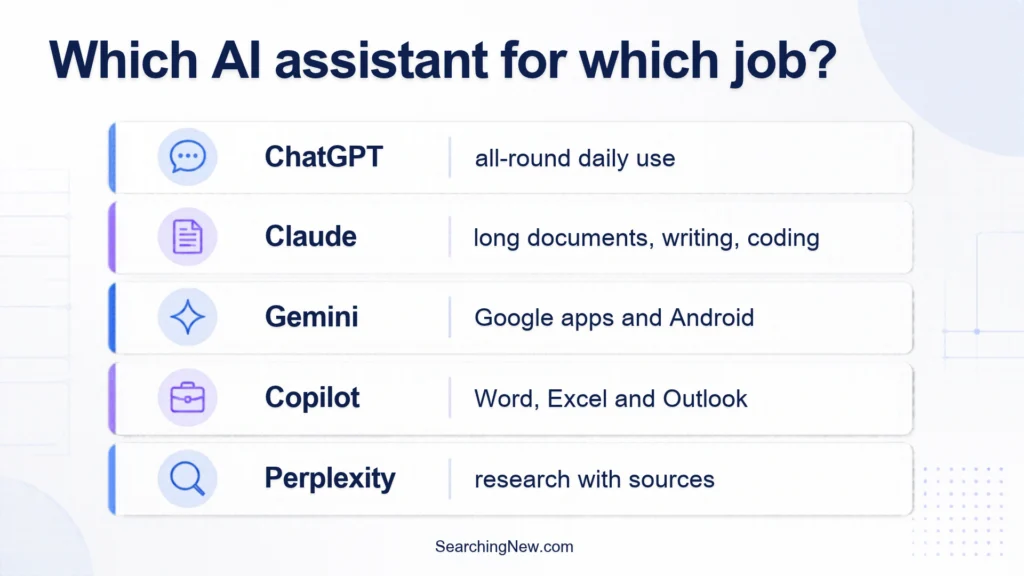
There is no single best AI assistant. The right one depends on what you do every week. If you want one safe starting point, ChatGPT is the most all-round choice. Claude suits long writing, documents and coding. Gemini fits people who live in Google apps. Microsoft Copilot fits people who live in Word and Excel. Perplexity is built for research with sources.
Quick answer: which AI assistant should you pick?
- Not sure where to start: ChatGPT.
- Long documents, careful writing, coding help: Claude.
- Gmail, Google Docs, Drive and Android: Gemini.
- Word, Excel, PowerPoint and Outlook: Microsoft Copilot.
- Answers with clickable sources: Perplexity.
Best AI assistants compared (2026)
| Assistant | Best for | Free plan | Main paid plan (US price) |
|---|---|---|---|
| ChatGPT | All-round daily use | Yes | Go $8/month, Plus $20/month |
| Claude | Long documents, writing, coding | Yes, with usage limits | Pro $20/month ($17 if billed yearly) |
| Gemini | Google apps and Android | Yes | AI Plus $4.99/month, AI Pro $19.99/month |
| Microsoft Copilot | Microsoft Office users | Yes | Microsoft 365 Premium $19.99/month |
| Perplexity | Research with sources | Check Perplexity’s site | Pro (price not confirmed here) |
The five AI assistants in more detail
1. ChatGPT: the easiest all-round choice
ChatGPT is the one most people try first. According to OpenAI’s pricing page, the free plan gives unlimited text chats, with limits on uploads, images, voice and deep research. Paid plans add bigger limits and more tools. The top plan adds an always-on agent feature called Dot, which we explained in our OpenAI Dots guide.
Good for: writing, brainstorming, study help, images and general questions. Watch out for: the Go plan may show ads, and the free plan has limits that you will notice if you use it all day. Full plan details are in our ChatGPT review.
2. Claude: strong for long documents and writing
Several 2026 roundups describe Claude as a good fit for long documents, careful writing and coding. Anthropic’s pricing page lists a free plan with web search, file creation, memory and Artifacts, with limited usage. Pro costs $20 a month, or $17 a month on yearly billing.
Good for: summarising long files, drafting and editing, coding help. Watch out for: there is no cheaper paid step below Pro, and usage limits apply on every plan. See our Claude AI review for the full breakdown.
3. Gemini: best if you live in Google apps
Gemini is Google’s assistant. On Google’s plans page, the free plan includes image generation, Deep Research, Gemini Live and Gems. Google AI Plus is $4.99 a month, Google AI Pro is $19.99 a month, and Google AI Ultra starts at $99.99 a month. The paid plans also bundle Google storage, which can make them better value if you already pay for storage.
Good for: Android phones, Gmail, Docs and Drive users, and anyone who wants the cheapest paid step. Watch out for: plan names and prices have changed several times in 2026, so confirm them on Google’s page.
4. Microsoft Copilot: best for Office users
Copilot is free to use as a chat assistant. For Copilot inside Word, Excel, PowerPoint, OneNote and Outlook, Microsoft points consumers to Microsoft 365 Premium at $19.99 a month in the US. Microsoft said it would stop selling the separate Copilot Pro plan, so older articles that mention it may be out of date.
Good for: people who already work in Microsoft 365 and Windows. Watch out for: work Copilot plans for companies are priced per user and are a different product from the consumer plan.
5. Perplexity: best for research with sources
Perplexity works more like a search engine that writes an answer. Its help centre says the Pro plan adds more citations per answer, higher upload limits, extended research and access to several AI models. I could not confirm its current price from the official pages I could read, so check the site before you decide.
Good for: fact-finding, comparing products and reading the sources behind an answer. Watch out for: always open the sources it links to. Any AI assistant can summarise a page wrongly.
How to choose in 15 minutes
- Pick one real task you do every week, such as replying to emails, summarising a PDF or planning a study schedule.
- Paste the same task and the same instructions into two or three free assistants.
- Check the answers for mistakes, not just style. Look up any fact or number that matters.
- Keep the one that needed the fewest corrections. Only pay when you keep hitting the free limits.
Free or paid: when is it worth paying?
Stay on a free plan if you ask a few questions a day. Think about paying when you hit usage limits during work, need bigger file uploads, or want tools such as deep research and coding help every day. For most people, the first paid step is around $20 a month. Gemini’s AI Plus at $4.99 and ChatGPT Go at $8 are cheaper ways to try paid features. Do not stack several $20 plans at once. Pay for one, and use the free plans of the others.
Common mistakes to avoid
- Trusting every answer. AI assistants can sound sure and still be wrong. Check names, dates, prices and legal or medical points.
- Choosing from an old article. Plans, prices and model names change every few months. Look for the date on any comparison, including this one.
- Pasting private data. Do not paste passwords, bank details or confidential work files. Check the privacy and chat-history settings of the app you use.
- Judging by one prompt. One good or bad answer tells you little. Try a few real tasks.
Common problems and quick fixes
- “I hit my usage limit.” Wait for the limit to reset, shorten your prompts, or move that task to another free assistant.
- A feature is missing in your country. Some features and plans roll out region by region. Check the plan page for your country.
- The answer is vague. Add context: who the answer is for, what format you want and an example. Better instructions fix most weak answers.
- The price on your screen is different. Taxes, local pricing and promotions change the amount. Trust the checkout page.
If you mostly want an assistant inside your browser, see our guide to the best AI browsers for Windows 11.
Frequently asked questions
What is the best free AI assistant?
ChatGPT, Claude, Gemini and Copilot all have free plans. ChatGPT’s free plan is the broadest for general use, Gemini’s is the most useful if you use Google apps, and Claude’s is good for documents but has usage limits. Try two on your own tasks.
Which AI assistant is best for work?
Pick the one that sits inside the tools you already use: Copilot for Microsoft 365, Gemini for Google Workspace. If you work mostly with text and files, ChatGPT or Claude are common choices.
Which AI assistant is best for Android?
Gemini is built by Google and is the natural fit for Android and Google apps. ChatGPT, Claude and Copilot also have Android apps.
Is ChatGPT better than Claude or Gemini?
Not in every case. Each is strong in different areas, and they all improve often. Test them on your own work instead of trusting one ranking.
Are AI assistants safe to use?
They are fine for everyday tasks if you do not share private data and you check important answers. Review each app’s privacy settings and turn off chat history or training options if you prefer.
Curious about Anthropic’s most advanced model family? See our guide to Claude Mythos 5.2, who can use it, and how it compares with Fable 5.2 and Opus 5.5.
Final verdict
Start with ChatGPT if you want one simple answer. Switch to Claude if your work is long documents or coding, to Gemini if you live in Google apps, and to Copilot if you live in Microsoft Office. Add Perplexity when you want sources next to every answer. Use free plans first, and pay for one plan only when the limits start to slow you down.
Want a closer look at Google’s option? Read our Gemini AI assistance guide for features, plans and setup steps.
Only choosing between the three biggest names? See our side-by-side ChatGPT vs Gemini vs Claude comparison with a task-by-task table.
Pingback: Gemini AI Assistance: What It Can Do and How to Use It
Pingback: Claude Mythos 5.2: Access, Price and Fable 5.2 Differences
Pingback: ChatGPT Finances on Desktop: What It Does, Who Gets It and Is It Safe