

If you are shopping for an affordable, no-fuss laptop in 2026, the ASUS Chromebook CM1405 (2026) has probably shown up in your search. It is light, it lasts all day, and it costs less than ₹30,000 in India. But is it the right laptop for you?
In this simple, beginner-friendly guide, we break down everything you need to know before you spend your money. No confusing tech jargon — just clear answers so you can decide with confidence.
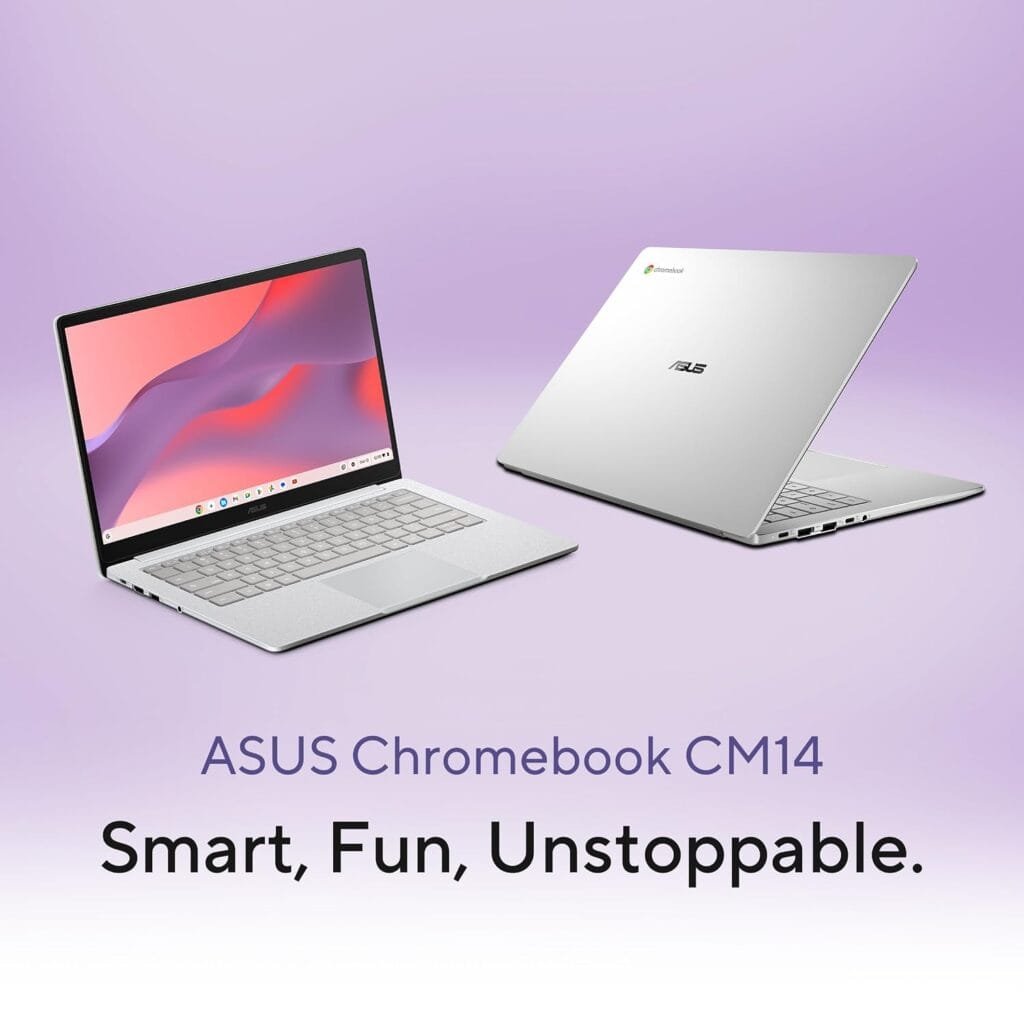
ASUS Chromebook CM1405 (2026): Quick Specs at a Glance
Here is a fast overview of what the ASUS Chromebook CM1405 (2026) brings to the table:
| Feature | Details |
|---|---|
| Processor | MediaTek Kompanio 540 (8-core, up to 2.6 GHz) |
| Graphics | ARM Mali-G57 MC2 |
| RAM | Up to 8GB LPDDR5X |
| Storage | 64GB / 128GB / 256GB eMMC |
| Display | 14-inch Full HD (1920 x 1080), anti-glare |
| Battery | Up to 20 hours |
| Weight | 1.35 kg |
| Build | MIL-STD 810H military-grade durability |
| Connectivity | Wi-Fi 6E, Bluetooth |
| Operating System | ChromeOS (updates until June 2034) |
| Starting Price (India) | ₹26,990 |
Prices and stock change often, so always check the latest figure on Amazon India or the ASUS eShop before buying.
🛒 🔥 Check Latest Price & Offers on Amazon →
Design and Build Quality
The first thing you notice about the ASUS Chromebook CM1405 (2026) is how light it feels. At just 1.35 kg, it slips into a bag easily, making it a great pick for students and anyone who travels or commutes a lot.
It is not just light — it is tough too. ASUS says the laptop passes 24 US military-grade durability tests (the MIL-STD 810H standard). In plain words, that means it is built to survive small drops, bumps, and the everyday rough handling of a busy life.
You also get a 180-degree hinge, so the screen can lay completely flat. This is handy when you want to share what is on your screen with a friend, classmate, or colleague sitting across from you.
ASUS offers it in four calm, modern colours — Pure Grey, Fabric Blue, Quiet Blue, and Misty Grey. The body even uses recycled plastic, which is a nice touch if you care about the environment.
Display: Is the Screen Good Enough?
The CM1405 comes with a 14-inch Full HD (1920 x 1080) anti-glare display. For a budget laptop, Full HD is a real plus — text looks sharp and videos look clean.
The anti-glare coating helps reduce reflections, so working near a window or under bright lights is more comfortable. The narrow bezels also push the screen-to-body ratio up to around 86%, which simply means more screen and less wasted border.
One honest point for beginners: this is a value-focused screen, not a premium one. Brightness sits around 250 to 300 nits depending on the variant. That is fine for indoor use, but it can feel a little dim in direct sunlight. For Netflix, study, browsing, and video calls, it does the job well.
Performance: What Can It Actually Handle?
This is the question most laptop buyers care about. The ASUS Chromebook CM1405 (2026) runs on the MediaTek Kompanio 540, an 8-core ARM chip paired with up to 8GB of fast LPDDR5X memory.
Here is the simple truth: this is an entry-level laptop built for everyday tasks. It handles these jobs smoothly:
- Browsing the web with several tabs open
- Gmail, Google Docs, Sheets, and Slides
- YouTube, Netflix, and other streaming
- Video calls on Google Meet or Zoom
- Light Android apps from the Google Play Store
What it is not built for: heavy video editing, demanding PC games, or large professional software like full Photoshop. If your work is browser-based and cloud-first, this Chromebook will feel fast and snappy. If you need heavy desktop programs, this is not the machine for you.
A big reason Chromebooks feel quick is ChromeOS itself. It is a light operating system that boots up in seconds and stays fast over time, instead of slowing down the way some laptops do after a year of use.
Battery Life: All-Day Power
Battery is where this laptop shines. ASUS rates the ASUS Chromebook CM1405 (2026) for up to 20 hours of battery life.
Real-world use is always a bit lower than the official number, but even so, this is excellent. For most people, that means a full day of classes or work without hunting for a charger. The efficient ARM-based chip is the hero here — it sips power instead of gulping it.
If long battery life is high on your list, this Chromebook is one of the strongest options in its price range.
Ports and Connectivity
Many cheap laptops skip useful ports. The CM1405 does better than most. You get:
- 2 x USB-C (USB 3.2 Gen 1) — for charging and connecting devices
- 1 x USB-A — for older accessories like a mouse or pen drive
- 1 x HDMI port — rare at this price, great for connecting a monitor or TV
- 1 x 3.5mm headphone and mic combo jack
The HDMI port is a genuine highlight for beginners, because it means you can plug into a bigger screen without buying extra adapters. On the wireless side, you get modern Wi-Fi 6E for fast, stable internet — a real advantage if you stream or video call a lot.
ChromeOS and Software Support
The ASUS Chromebook CM1405 (2026) runs ChromeOS, Google’s simple and secure operating system. If you have ever used the Chrome browser or an Android phone, you will feel at home almost instantly.
Two big benefits for beginners:
- Security: Chromebooks have strong built-in protection and automatic updates, so you rarely need to worry about viruses.
- Long support: This model receives ChromeOS updates and security patches until June 2034 — that is over eight years of support from launch. You are buying a laptop that stays safe and current for a long time.
Buyers also get a few months of Google AI Pro and extra cloud storage included, which adds nice value if you use Google’s tools.
Price in India and Where to Buy
The ASUS Chromebook CM1405 (2026) launched in India at a starting price of ₹26,990. You can buy it on Amazon India and the ASUS eShop, with No Cost EMI options starting around ₹5,165 per month, which makes it easier on a tight budget.
A fair word of caution: at ₹27,000, some Windows laptops offer more raw power on paper. So the CM1405’s strengths — long battery life, light weight, simple software, and durability — have to matter to you for the price to feel worth it.
Who Should Buy the ASUS Chromebook CM1405 (2026)?
This laptop is a smart choice if you are:
- A student who needs a reliable, long-lasting laptop for online classes, notes, and research
- A first-time laptop buyer who wants something simple and worry-free
- Someone who mainly works in a browser and Google apps
- A buyer who values battery life and portability over heavy power
- Anyone who wants a tough, low-maintenance second laptop for travel
Who Should Skip It?
Look elsewhere if you:
- Need to run full Windows or Mac software (like advanced Photoshop or specific office tools)
- Want to play modern PC games
- Do heavy video editing or run large professional apps
- Often work offline without internet, since Chromebooks are happiest online
For these needs, a Windows laptop or a more powerful “Chromebook Plus” model would serve you better.
Pros and Cons
Pros
- Excellent battery life (up to 20 hours)
- Light and very portable (1.35 kg)
- Tough, military-grade build
- Sharp Full HD anti-glare screen
- HDMI port and Wi-Fi 6E included
- Long software support until 2034
- Fast, secure, beginner-friendly ChromeOS
Cons
- Entry-level performance only
- Not ideal for heavy software or gaming
- Screen brightness is just okay outdoors
- Priced close to some more powerful Windows laptops
🛒 🔥 Check Latest Price & Offers on Amazon →
Frequently Asked Questions (FAQs)
Is the ASUS Chromebook CM1405 (2026) good for students?
Yes. It is light, durable, and lasts all day on a charge, which makes it a strong choice for online classes, notes, and browser-based study.
Can the ASUS Chromebook CM1405 (2026) run Microsoft Office?
You cannot install the full desktop version, but you can use Office on the web and Android Office apps from the Play Store, plus Google Docs and Sheets for free.
Does this Chromebook support Android apps?
Yes. It runs Android apps from the Google Play Store, so you can use many of the same apps you have on your phone.
How long will the ASUS Chromebook CM1405 (2026) receive updates?
It is supported with ChromeOS updates and security patches until June 2034, giving you many years of safe, up-to-date use.
Can I play games on it?
You can play light Android and cloud-based games, but it is not built for heavy PC gaming.
What is the price of the ASUS Chromebook CM1405 (2026) in India?
It starts at ₹26,990, though prices can change, so check Amazon India or the ASUS eShop for the latest deal.
Final Verdict
The ASUS Chromebook CM1405 (2026) is a dependable, easy-to-use laptop that does the basics very well. If your daily tasks live in the browser — study, email, streaming, and video calls — you get long battery life, a tough build, and a sharp screen at a friendly price.
It will not replace a powerful Windows laptop for heavy work or gaming. But for students, first-time buyers, and anyone who wants a simple laptop that just works, the CM1405 is an easy one to recommend.
Note: Specifications and prices were accurate at the time of writing and may change. Always confirm the latest details before purchase.
Related guides
- ASUS Zenbook 14 (2026): Specs, Features & Buyer’s Guide – Is It Worth Buying?
- HP Smartchoice OmniBook 5 Review: Is This New AI Laptop Worth It?
- Acer SmartChoice Aspire One A114-45: Specs & Buying Guide