

Disclosure: This post has an Amazon affiliate link. If you buy through it, SearchingNew may earn a small commission at no extra cost to you.
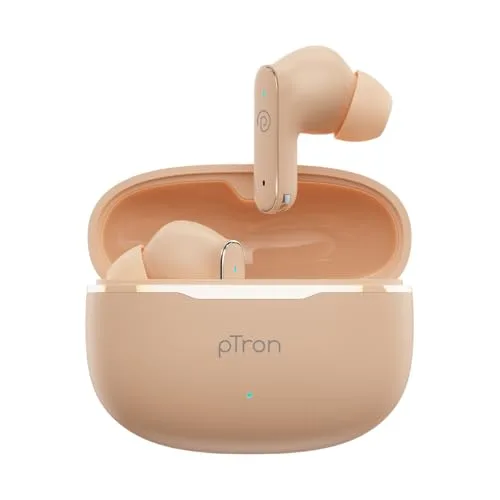
The pTron Bassbuds Eon is a budget pair of true wireless earbuds from Hyderabad-based brand pTron. The latest version comes with Bluetooth 6.0, 13mm drivers, up to 45 hours of total playtime, dual mics with TruTalk AI-ENC for calls, IPX5 sweat resistance and support for the Original Sound app. It usually sells for well under ₹1,000 on Amazon against an MRP of ₹1,999.
Short answer: the Bassbuds Eon makes sense if you want long battery life, a light design and app-based EQ on a tight budget. It is not the right pick if you need active noise cancellation (ANC) or want a brand with a strong long-term reliability record.
Old vs New pTron Bassbuds Eon: Know Which One You Are Buying
This is the most confusing part, and most pages online skip it. pTron first launched the Bassbuds Eon in 2022. The brand now sells a new design under the same name, and its official Bassbuds Eon user guide page lists separate manuals for the “Old Design” and “New Design”. Many reviews and videos you find on Google talk about the old model.
| Feature | Old Bassbuds Eon (2022) | New Bassbuds Eon |
|---|---|---|
| Bluetooth | 5.3 | 6.0 |
| Total playtime | Up to 30 hours | Up to 45 hours |
| Water resistance | IPX4 | IPX5 |
| Call noise reduction | ENC | Dual HD mic with TruTalk AI-ENC |
| App support | No | Yes (Original Sound app) |
| Drivers | 13mm | 13mm |
Tip: Before you order, check that the listing title says “Bluetooth v6.0” and “45Hrs Playtime”. That confirms you are getting the new model covered in this article.
pTron Bassbuds Eon Specifications
| Specification | Details |
|---|---|
| Type | In-ear true wireless earbuds (stem design) |
| Drivers | 13mm neodymium dynamic drivers |
| Impedance | 32 ohms |
| Bluetooth | Version 6.0, 10 metre range |
| Battery | Up to 45 hours total with case, up to 7 hours per charge, 100 hours standby |
| Case charging time | About 1 to 1.5 hours (as per the user manual) |
| Charging port | USB Type-C |
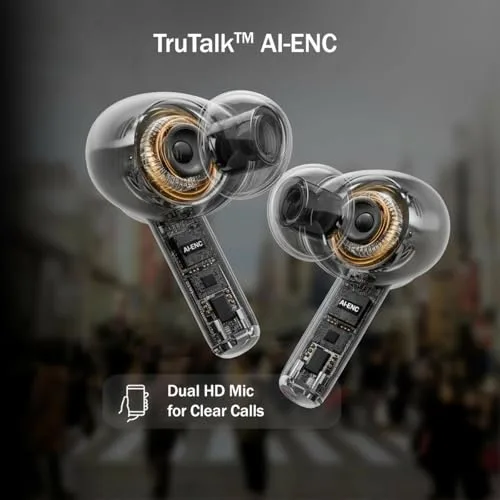
| Microphones | Dual HD mic with TruTalk AI-ENC |
| Noise control | Passive noise isolation (no ANC) |
| Water resistance | IPX5 |
| Controls | Touch controls, voice assistant access |
| App | Original Sound (Android and iOS) |
| Ear tips | S, M and L silicone tips |
| Colours | Peach, Maroon, Black |
| Warranty | 6 months manufacturer warranty |
| Made in | India |
| In the box | Earbuds, charging case, Type-C cable, user manual |
Design and Comfort
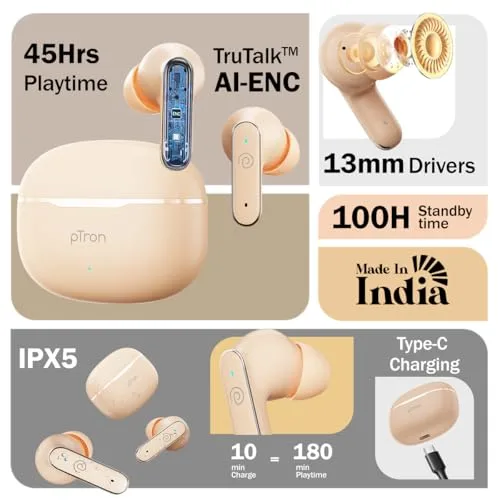
The new Eon uses a stem-style design with a compact, rounded charging case. It comes in Peach, Maroon and Black. pTron calls the fit “Ergo-Fit”, and you get three sizes of silicone tips (S, M and L) in the box.
Picking the right tip size matters more than most people think. A good seal improves bass and blocks more outside noise. If the bass feels weak, try the next larger tip before blaming the earbuds.
The IPX5 rating means the earbuds can handle sweat and water splashes. You can use them at the gym, on a run or in light rain. They are not made for swimming or washing under a tap. You can read more about what these ratings mean on the IP code page on Wikipedia.
Sound Quality: What to Expect
The Eon uses 13mm dynamic drivers, which is a common size in budget TWS earbuds. Like most of the Bassbuds range, the tuning is aimed at people who enjoy bass-heavy music, movies and casual video watching.
Buyer feedback on Amazon is split here. Some buyers like the bass and clarity, while others describe the sound as average and expected more bass. This is normal at this price. You can change the sound using the custom EQ in the Original Sound app, which helps a lot if the default tuning does not suit you.
Keep in mind that the Eon does not have ANC. Noise is reduced only by the ear tips sealing your ear. If you travel in noisy buses or metros every day, look at our list of best ANC earbuds under ₹3,000 in India.
Call Quality and TruTalk AI-ENC
For calls, the Eon has two HD mics with what pTron calls TruTalk AI-ENC. ENC (Environmental Noise Cancellation) reduces background noise so the person on the other side hears your voice more clearly. It does not stop outside noise from reaching your ears. That job belongs to ANC, which this model does not have.
Several Amazon buyers mention clear calls and good mic quality, which matches what pTron advertises. Calls in very windy or crowded places will still pick up some noise, as with most budget earbuds.
Battery Life and Charging
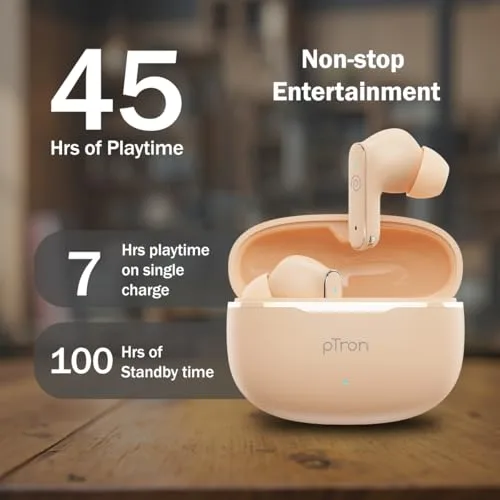
pTron claims up to 7 hours of playback on a single charge and up to 45 hours in total with the charging case. Standby time is rated at 100 hours.
According to the user manual, the case takes about 1 to 1.5 hours to charge fully using a 5V/1A adapter. The case light blinks orange while charging and turns off when it is full. The earbud light stays orange while the buds charge inside the case.
Real battery life depends on volume and how much you use the mics for calls. One verified buyer reported around 6 to 7 hours of continuous use and 35 to 40 hours in total with the case, which is reasonably close to the claim.
Original Sound App Features
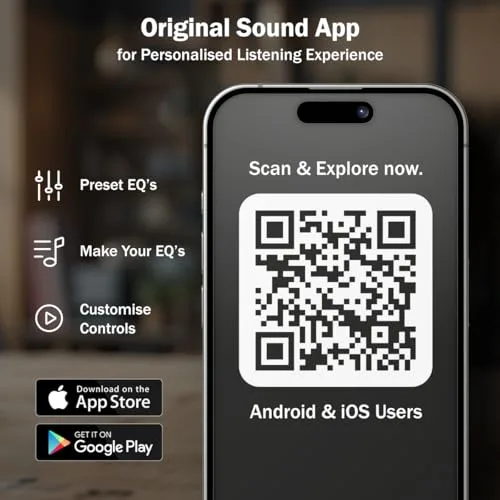
The new Eon works with the Original Sound app, available on the Google Play Store and the Apple App Store. You do not need the app to pair the earbuds, but it adds useful options:
- Battery level of each earbud
- Preset EQ modes and your own custom EQ
- Button settings to change what each touch gesture does
- Gaming Mode
- Find Device, Rename Device and Reset Headset
- Extra tools such as Sleep Music, Dust Cleaning and Water Drain sounds
- 14 languages and a day/night theme
About latency: pTron does not publish a latency figure for the Eon. The app has a Gaming Mode, but if low latency is your top priority, a model that lists a specific number (like 40ms) is a safer choice.
How to Pair pTron Bassbuds Eon
With an Android phone or iPhone
- Before first use, remove the insulation stickers from the charging points.
- Open the case and take out both earbuds. They turn on automatically.
- Wait 2 to 3 seconds. The earbuds connect to each other and you will hear “Pairing”.
- Turn on Bluetooth on your phone and tap pTron TWS.
- You will hear “Connected”. Next time, the earbuds reconnect to the last device automatically.
With a Windows laptop
- Put the earbuds in pairing mode by taking them out of the case.
- On Windows 11, open Settings > Bluetooth & devices > Add device > Bluetooth.
- Select pTron TWS from the list.
If your laptop does not show the earbuds, follow our guide on fixing Bluetooth not working in Windows 11. After pairing, you can check that the left and right sides play correctly with our free left and right speaker test.
Touch controls
- Power on: Take the earbuds out of the case, or touch and hold both earbuds for 3 seconds.
- Power off: Put both earbuds back in the case.
- Voice assistant: Tap either earbud four times.
- Other gestures: Set play/pause, track and call controls in the app’s Button Settings.
- Mono mode: Take out just one earbud. Next and previous track controls do not work in mono mode.
Common Problems and Fixes
One earbud not working
Put both earbuds back in the case and close the lid. Take both out together and wait for them to connect to each other, then reconnect to “pTron TWS”. If it still fails, use Reset Headset in the app, remove “pTron TWS” from your phone’s Bluetooth list and pair again.
Earbuds not showing in the Bluetooth list
Place both buds in the case, take them out together, then turn your phone’s Bluetooth off and on again. Restarting the phone also helps.
Disconnecting during calls
Charge the earbuds fully, restart them and reconnect. Stay within 10 metres of your phone, and avoid keeping the phone in a back pocket while walking.
Low volume
The earbuds start at 50% volume. Increase the volume on both the phone and the earbuds.
Case or earbuds not charging
Check that the insulation stickers are removed and the charging pins are clean. Use a standard 5V/1A adapter and the Type-C cable.
Earbuds stopped working within warranty
A few Amazon buyers report that one earbud stopped working in the first few weeks. Keep your invoice, use Amazon’s 10-day replacement window if the problem shows early, and register your product on the pTron website for the 6-month warranty.
Pros and Cons
Pros
- Bluetooth 6.0 at a budget price
- Long battery life: up to 45 hours with the case
- IPX5 sweat and splash resistance
- Dual mics with AI-ENC for calls
- App support with custom EQ and gesture settings
- Lightweight design with three colour options
Cons
- No active noise cancellation
- Sound is average for some buyers
- Mixed reliability reports and only 6 months of warranty
- No official latency figure and no dual-device connection listed
pTron Bassbuds Eon vs Alternatives
Here is how the Eon compares with other popular budget earbuds on Amazon India, based on their listed specs.
| Model | Drivers | Total playtime | Bluetooth | Water resistance | Best for |
|---|---|---|---|---|---|
| pTron Bassbuds Eon | 13mm | 45 hours | 6.0 | IPX5 | Calls and app EQ on a budget |
| pTron Bassbuds Astra | Not listed | 50 hours | 5.3 | IPX4 | Slightly longer battery, stereo calls |
| pTron Bassbuds Indie | 10mm | 45 hours | 5.4 | IPX5 | A cheaper pTron option |
| HAMMER Airflow Neo | 13mm titanium | 80 hours | Not listed | Not listed | Maximum battery, 40ms gaming mode |
| Mivi DuoPods C2 | 13mm | 50 hours | Not listed | Not listed | AI-ENC calls from a Made in India brand |
Want over-ear headphones instead? See our picks for the best headphones under ₹1,000 in India.
Who Should Buy the pTron Bassbuds Eon?
Buy it if you are a student or first-time TWS buyer, you take a lot of calls on the go, you want earbuds for the gym or walks, and you like adjusting sound through an app, all without spending more than ₹1,000.
Skip it if you need ANC for daily travel, you play competitive mobile games and want a guaranteed low latency, or you prefer a longer warranty. In those cases, spending a little more on an ANC model from a bigger brand is a better long-term choice.
Frequently Asked Questions
Is the pTron Bassbuds Eon good?
For its price, yes. It offers Bluetooth 6.0, up to 45 hours of battery, IPX5 and app support. Sound quality is average to good depending on your taste, and reliability reviews are mixed.
Does the pTron Bassbuds Eon have ANC?
No. It has passive noise isolation from the ear tips and AI-ENC, which only cleans up your voice on calls.
What is the battery life of pTron Bassbuds Eon?
pTron claims up to 7 hours per charge and up to 45 hours in total with the case, plus 100 hours of standby.
Is the pTron Bassbuds Eon waterproof?
It is IPX5 rated, so it resists sweat and water splashes. It is not waterproof and should not be submerged.
Does it work with iPhone and laptops?
Yes. It connects over Bluetooth to Android phones, iPhones, tablets and laptops. The Original Sound app is available for both Android and iOS.
What is the latency of pTron Bassbuds Eon?
pTron has not published a latency figure. The app offers a Gaming Mode to reduce delay.
How do I reset pTron Bassbuds Eon?
Open the Original Sound app, go to the device page and tap Reset Headset. Then remove “pTron TWS” from your phone’s Bluetooth list and pair again.
What is the warranty on pTron Bassbuds Eon?
It comes with a 6-month manufacturer warranty against manufacturing defects. Physical damage is not covered.
Final Verdict
The new pTron Bassbuds Eon gets the basics right for a budget TWS: a modern Bluetooth 6.0 connection, long 45-hour battery life, IPX5 protection, dual-mic calling and an app with custom EQ. Its weak points are the lack of ANC, sound that will not impress everyone and mixed reliability reports.
If your budget is strictly under ₹1,000 and you mainly want earbuds for calls, music, videos and workouts, the Eon is a sensible pick. Just make sure you are buying the new Bluetooth 6.0 version.